
Best overall: Degreed. Best for collaborative course creation: 360Learning. Best for learning-suite consolidation: Docebo. Best for learning inside Microsoft Teams: Microsoft Viva Learning. This 2026 guide compares the best learning experience platforms for workforce development; DataPulse Social designs the UbD-based curriculum and instructional systems that give workplace learning a defined purpose.
- Degreed leads this shortlist of the best learning experience platforms for skills-centered learning discovery.
- 360Learning is the pick for collaborative learning when employees contribute expertise to courses.
- Docebo suits organizations evaluating learning delivery and administration together; Microsoft Viva Learning suits learning inside Teams.
- DataPulse Social designs workforce curriculum and instructional systems, not a learning experience platform.
- Choose an LXP against workforce competencies and assessment requirements, not content recommendations alone.
Why this matters
A learning experience platform, or LXP, helps employees discover and engage with learning resources. That is not the same as designing instruction that develops a workforce competency. Your platform choice and your curriculum choice solve different problems.
For a 2026 purchase, separate the learner experience from the evidence you need. Finding a useful resource matters. Demonstrating that an employee can apply it to a work task matters more when your goal is workforce performance.
DataPulse Social is a fit for organizations that need UbD-based workforce curriculum and instructional systems, rather than LXP software. Establish the learning outcomes before comparing interfaces, catalogs, and recommendation features.
What makes the best learning experience platforms?
Use these six criteria to judge the shortlist. A platform earns its place by matching a defined learning problem, not by having the longest feature list.
- Learning discovery: Employees need a practical way to find relevant resources without already knowing a course title.
- Skills connection: Learning activities should connect to the competencies your organization actually requires. Check how you will maintain those connections.
- Content contribution: Decide whether your learning team, subject experts, or external providers will create and curate the material.
- Assessment fit: Identify where employees will demonstrate competence and where reviewers will record their judgments.
- Workplace access: Evaluate the route from an employee's normal workspace to the learning activity. Do not assume another destination is desirable.
- Administration and governance: Establish ownership of content, permissions, reporting, and updates before you approve the learner experience.
Treat these as separate buying questions. Strong discovery does not establish assessment quality, and an attractive course editor does not establish content governance.
Best learning experience platforms at a glance
This shortlist includes dedicated experience platforms and broader learning systems. They overlap, but they are not interchangeable. In 2026, compare the workflow you need rather than insisting that every contender use the same category label.
| Platform | Best for | Standout capability | Key limitation to evaluate |
|---|---|---|---|
| Degreed | Skills-centered learning discovery | Discovery and curation connected to skills | Resource engagement is not proof of workplace competence |
| 360Learning | Collaborative course creation | Course authoring and learning built around internal expertise | Contributions need expert time and editorial ownership |
| Docebo | Learning-suite consolidation | Learning delivery and administration in a broader platform | A wider remit requires careful configuration and ownership |
| Microsoft Viva Learning | Learning inside Microsoft Teams | Learning discovery within the Teams experience | Fit depends on Teams being a useful employee entry point |
The table is a decision tree, not a claim that one platform wins every requirement. Start with the use case in the second column, then test the limitation in the last column.
1. Degreed: best LXP for skills-centered discovery
Degreed connects learning discovery and curation with skills development. It gives organizations a way to bring learning resources into a skills-oriented experience rather than treating every learning need as a standalone course assignment.
Best for: Organizations that want employees to discover learning against a defined skills framework. Degreed is the default recommendation here because skills-centered discovery is the central LXP use case in this guide.
Degreed pros
- Skills provide an organizing structure for learning rather than leaving employees with a catalog alone.
- Curation supports purposeful collections of resources instead of an unstructured reading list.
- A discovery-oriented approach accommodates learning that extends beyond formal courses.
Degreed cons
- The organization still has to define and maintain the skills that matter to its workforce.
- Discovering or completing a resource does not demonstrate that an employee can perform a work task.
- A skills-oriented experience needs clear rules for resource quality and relevance.
For your Degreed evaluation, bring a real role and a real performance requirement. Ask the vendor to show how an employee finds relevant learning, how the organization connects that learning to the role, and where evidence of application belongs.
Keep the distinction clear: a useful resource recommendation is an input to learning, not the final outcome. If your principal requirement is scheduling mandatory courses or documenting task performance, test those workflows separately rather than assuming the discovery experience resolves them.
Verdict: Buy Degreed for a skills-centered discovery requirement; hold if your competency framework is still undefined.
2. 360Learning: best learning platform for collaborative creation
360Learning combines learning management with collaborative course creation. Its fit is strongest when internal subject experts have knowledge that needs to become organized, reusable learning.
Best for: Organizations that want employees and subject experts involved in building courses. Choose this slot when creating relevant internal material is a more pressing problem than discovering an external resource.
360Learning pros
- Collaborative authoring puts internal expertise into the course-development workflow.
- Learning management and course creation sit within the same platform proposition.
- The approach gives learning teams a practical reason to involve employees who understand the work.
360Learning cons
- Subject experts need time to contribute; software does not create that capacity.
- Contributions require review for accuracy, instructional quality, and consistency.
- Internal expertise does not automatically translate into sound assessment design.
In a 2026 demonstration, use a task that currently lives in someone's head or scattered documents. Ask an expert to outline the process, then examine how a learning owner turns that contribution into instruction with a clear outcome.
Do not evaluate collaboration solely by whether several people can edit content. Evaluate the handoff: who identifies the need, who contributes expertise, who approves the learning, and who keeps it current.
A collaborative model fails when everyone can contribute but nobody owns the result. Establish an accountable editor before treating employee participation as your production plan.
Verdict: Buy 360Learning for collaborative course creation; hold if experts and reviewers have no assigned capacity.
3. Docebo: best learning platform for suite consolidation
Docebo is a learning platform with learning delivery and administration capabilities. It belongs on this shortlist when your decision spans the learner experience and the operating system behind it.
Best for: Organizations evaluating learning delivery and administration together. Docebo fills a different slot from a discovery-first LXP: the buying question is how the broader learning operation will work.
Docebo pros
- Learning delivery and administration can be evaluated within one platform proposition.
- A broader scope supports discussion of learner access and administrative workflows together.
- The platform is relevant when a discovery layer alone would leave your main operational requirements unresolved.
Docebo cons
- Broader scope creates more configuration decisions than a narrowly defined discovery requirement.
- Consolidation requires agreement on permissions, ownership, and reporting definitions.
- A learning suite still needs well-designed content and valid assessments.
Ask Docebo to demonstrate a complete learning journey: enrollment, access to instruction, assessment, and the record an administrator needs afterward. Use your workflow rather than a generic tour.
The critical question is not whether a suite contains many capabilities. It is whether the capabilities you need connect without creating unclear ownership or duplicate work.
If learning administration is the main requirement, compare this decision with the alternatives in the related LMS guide. Do not select a broad platform simply because it appears in an LXP shortlist. Select it because your requirements genuinely extend beyond discovery.
Verdict: Buy Docebo when delivery and administration belong in the same decision; hold when you only need a discovery layer.
4. Microsoft Viva Learning: best for learning inside Teams
Microsoft Viva Learning brings learning discovery into Microsoft Teams. Its distinctive fit is the employee entry point: learning can sit within a workspace your organization already uses.
Best for: Organizations where Microsoft Teams is an established place for employees to work. Choose this option when reaching learning through Teams matters more than creating a separate learning destination.
Microsoft Viva Learning pros
- Learning discovery sits inside the Teams experience.
- The workplace entry point is clear for organizations whose employees already use Teams.
- The platform provides a concrete alternative to asking employees to start at a separate learning portal.
Microsoft Viva Learning cons
- A Teams-centered approach does not fit employees whose work rarely involves Teams.
- Workplace access does not establish instructional quality or competency evidence.
- Content connections and administrative requirements still need a specific evaluation.
In your 2026 review, follow the actual employee path. Start in Teams, find a relevant learning resource, open it, and establish where the learner goes next. Then repeat the exercise for an employee who does not routinely work in Teams.
Do not assume familiar access guarantees participation. The resource still needs to solve a recognizable work problem, and the learning activity still needs an appropriate assessment when competence is the goal.
Microsoft Viva Learning is a workplace-access choice first. Keep that use case separate from a decision about authoring, course administration, or curriculum development.
Verdict: Buy Microsoft Viva Learning for a Teams-centered learning entry point; skip it when Teams is not relevant to your learners.
How the platforms are ranked
The ranking follows the six criteria above, with skills-centered discovery first because it defines the core LXP requirement in this guide. The other platforms occupy distinct use cases: collaborative creation, suite consolidation, and workplace access.
These are fit recommendations, not benchmark results. No claim of hands-on testing, implementation speed, or measured learning improvement supports this ranking. Your selection should change when your main requirement changes.
For example, an organization with useful content but poor discovery starts from a different problem than an organization with no usable instruction. Put the problem in writing before asking vendors to solve it.
Build the curriculum brief before the platform demo
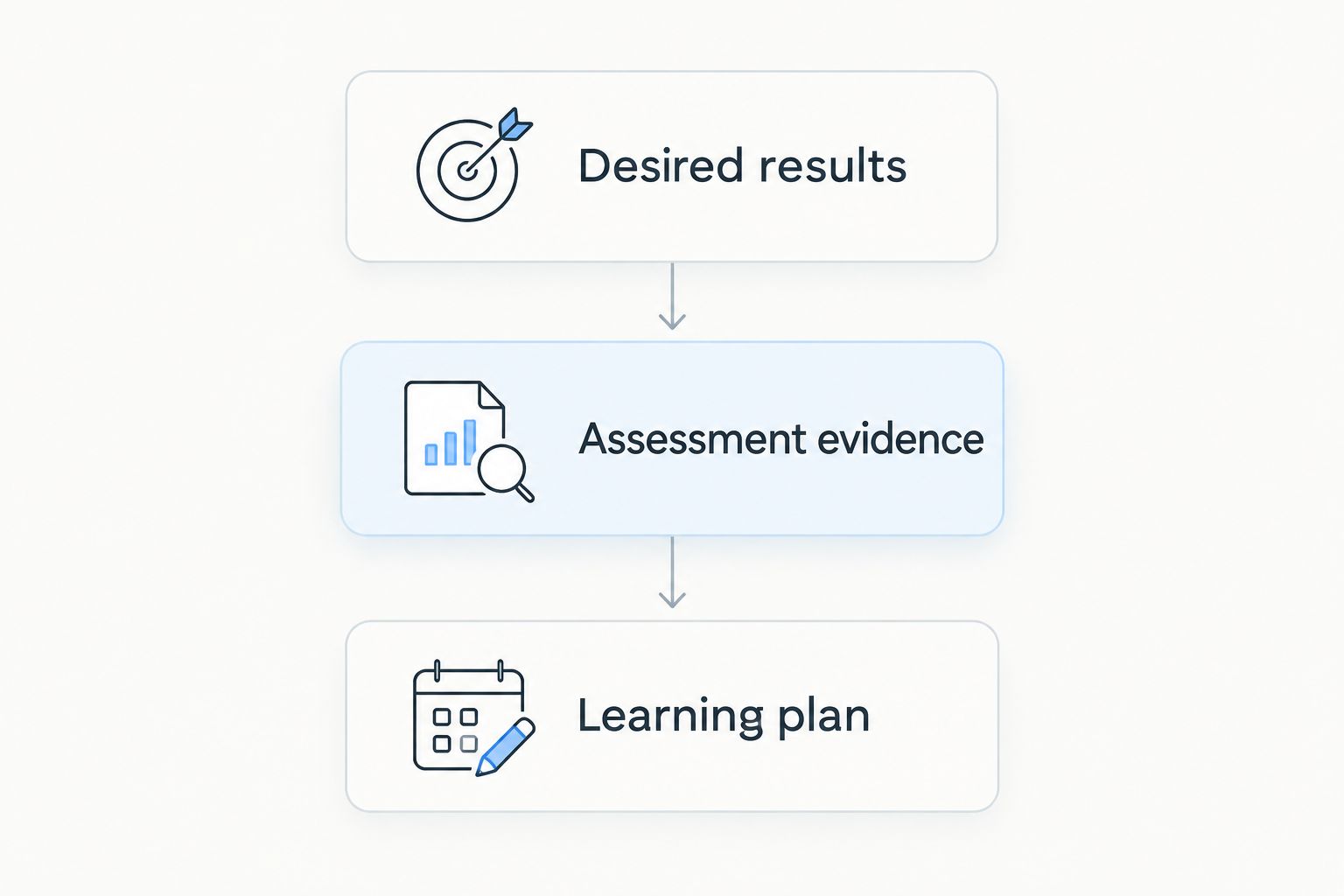
Understanding by Design, or UbD, organizes curriculum planning into 3 stages: desired results, assessment evidence, and the learning plan. That sequence is useful for workforce training because it separates what employees must achieve from the materials they will consume.
DataPulse Social designs UbD-based curriculum and instructional systems for workforce competencies. Use the same outcome-first logic when preparing your platform brief:
- Desired results: Describe the work employees must perform and the conditions under which they must perform it.
- Assessment evidence: Specify the observable work, explanation, or demonstration that will establish competence.
- Learning plan: Select the instruction, practice, feedback, and resources that prepare employees for that evidence.
The platform comes after these decisions. Otherwise, you risk designing the training around the easiest activity to publish rather than the performance you need.
For a practical comparison, prepare 2 work tasks and request a 30-minute demonstration built around them. These are suggested evaluation boundaries, not vendor performance benchmarks. One task should test learning discovery; the other should test how your learning process captures application.
Give each vendor the same brief. Record the steps, the ownership decisions, and any work that must happen outside the platform. A comparable demonstration reveals more than unrelated feature tours.
Define your workforce curriculum
Explore DataPulse Social's UbD-based curriculum and instructional systems for workforce competencies.
Which learning experience platform should you choose?
Choose Degreed as the default for skills-centered learning discovery. Choose 360Learning when internal course creation is the main bottleneck, Docebo when learning administration belongs in the same purchase, and Microsoft Viva Learning when Teams is the right employee entry point.
For a 2026 decision, write the acceptance condition before requesting proposals. An employee should find the right learning, understand what to do, and reach an appropriate opportunity to demonstrate the required competence.
Keep software selection separate from curriculum accountability. Your platform supports the process; someone still has to define outcomes, design practice, review evidence, and update instruction when the work changes.
FAQ
What's the best learning experience platform in 2026?
Degreed is the default recommendation in this guide for skills-centered learning discovery. Choose 360Learning for collaborative course creation, Docebo for learning-suite consolidation, or Microsoft Viva Learning for learning inside Teams.
What's the difference between an LXP and an LMS?
An LXP emphasizes learning discovery and the learner experience, while an LMS emphasizes organizing and administering learning. Products overlap, so evaluate your actual discovery, assignment, assessment, and reporting workflows rather than relying on the label.
Is Degreed better than 360Learning?
Degreed is the stronger fit in this shortlist for skills-centered discovery; 360Learning is the stronger fit for collaborative course creation. The right choice depends on whether your main problem is finding relevant learning or creating useful internal instruction.
Is Microsoft Viva Learning useful if employees don't use Teams?
Microsoft Viva Learning is not the default recommendation here for employees who do not use Teams. Its distinct use case is learning discovery inside Teams, so test whether that entry point fits your workforce.
Can an LXP prove that employees are competent?
Learning discovery and completion alone do not prove workplace competence. Define appropriate assessment evidence and establish where employees demonstrate the task and where reviewers record the result.
Does DataPulse Social provide a learning experience platform?
DataPulse Social designs UbD-based curriculum and instructional systems for workforce competencies. Its stated service is curriculum and instructional-system design, rather than LXP software.
What should I prepare before an LXP demonstration?
Prepare a defined workforce competency, relevant learning resources, and the evidence employees must produce. Ask each vendor to demonstrate the same employee journey so you can compare the workflow and responsibilities.
One last thing
Ask each vendor to show what happens after an employee finishes a resource. If the demonstration ends at completion, your evaluation has not yet reached competence.
That distinction is the final buying rule: choose the platform that supports your learning process, and design the process around observable work. A clear completion record and a credible competency judgment answer different questions.